
With the release of ITONICS Nucleus 3.25.0, the way you configure Segment Fields has changed. The Segment Configuration menu has been removed. Everything that previously lived there is now accessible directly from the Segment Fields tab - in one place.
How to get there
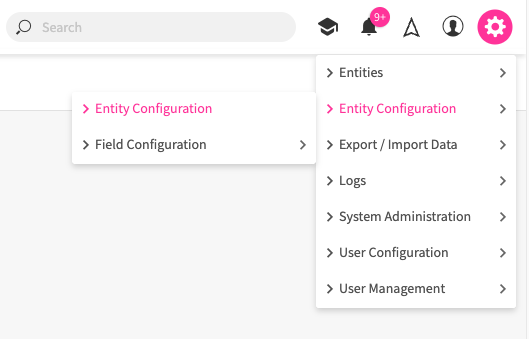
- Click the Settings Wheel in the top navigation bar.
- Go to Entity Configuration > Entity Configuration.
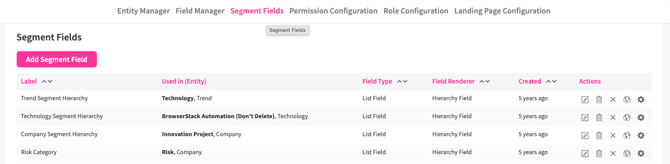
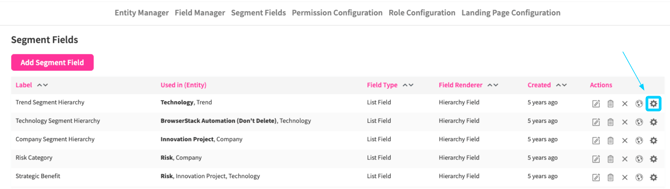
- Open the Segment Fields tab.
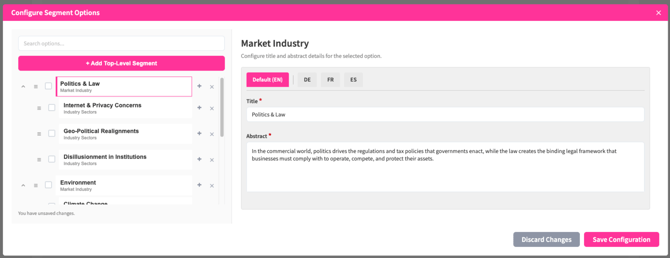
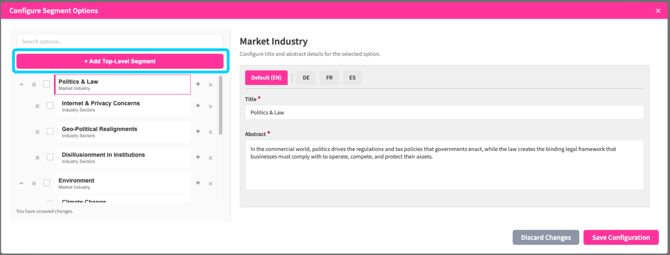
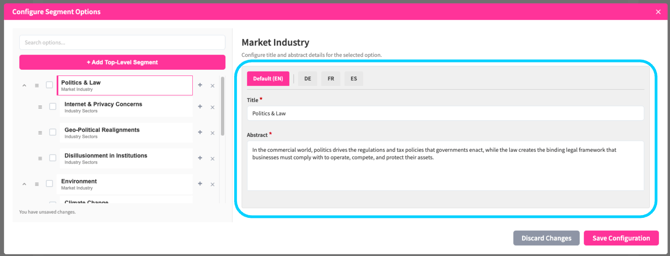
- To manage the options of a segment field, click the gear icon in the Actions column next to the relevant field. This opens the Configure Segment Options modal.

What changed at a glance:
|
Task |
Old location |
New location |
|
Create or edit a segment field |
Settings Wheel > Entity Configuration > Entity Configuration > Segment Fields |
Settings Wheel > Entity Configuration > Entity Configuration > Segment Fields (Unchanged) |
|
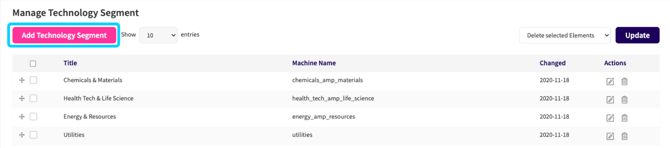
Manage options (add, edit, delete hierarchy values) |
Settings Wheel > Entity Configuration > Segment Configuration > {field name}
|
Settings Wheel > Entity Configuration > Entity Configuration > Segment Fields > gear icon in the Actions column
|
|
Add options at any hierarchy level |
Settings Wheel > Entity Configuration > Segment Configuration > {level name} and click Add {Level Name}
|
Settings Wheel > Entity Configuration > Entity Configuration > Segment Fields > gear icon for {level name} + Add Top-Level Segment
|
|
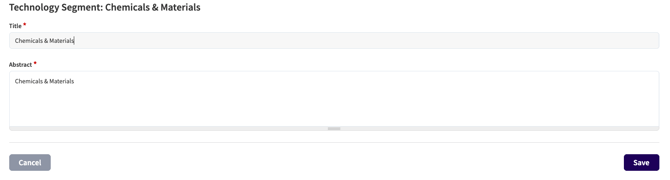
Edit option title and abstract |
Settings Wheel > Entity Configuration > Segment Configuration > {level name} and click edit icon
|
Settings Wheel > Entity Configuration > Entity Configuration > Segment Fields > gear icon for {level name}
|
|
Reorder options |
Settings Wheel > Entity Configuration > Segment Configuration > {level name} > drag handle |
Settings Wheel > Entity Configuration > Entity Configuration > Segment Fields > gear icon for {level name} > drag handle |

Why it changed
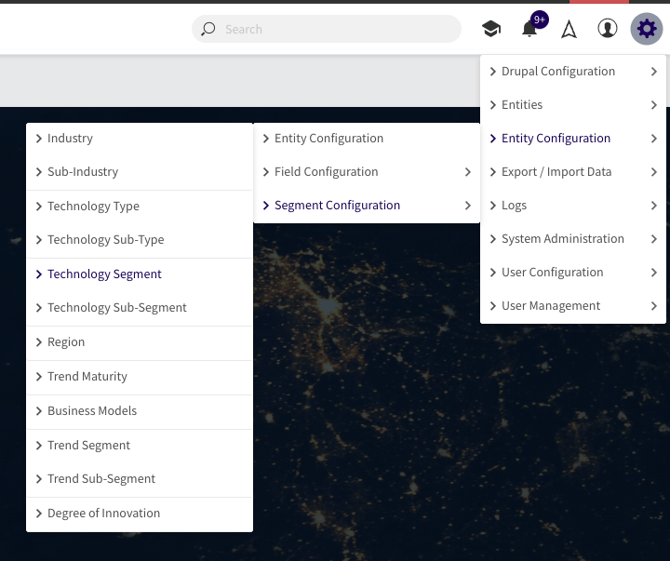
Previously, managing a segment field required navigating to two separate menus - Segment Fields to define the field, and Segment Configuration to manage its values. These are now unified under Segment Fields, reducing steps and keeping all segment-related configuration in one place.
Please Note: The Segment Configuration menu under Settings > Entity Configuration > Segment Configuration is no longer available. Existing segment field values and hierarchy structures are preserved - only the location for managing them has changed.